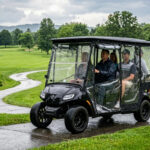
You know the feeling: you’re at the base of a moderate incline with a cart full of gear or family, and your vehicle groans to a crawl. Most owners assume the batteries are dying or the motor is weak. In reality, the culprit is often the factory-installed “brains” of the machine. The stock golf cart speed controller is typically engineered for the lowest common denominator—prioritizing liability and battery protection over raw performance and uphill grunt.
For DIY enthusiasts looking to transform their ride from a neighborhood cruiser into a high-performance machine, understanding the golf cart speed controller is the first step. It is the gatekeeper of energy, determining exactly how much amperage reaches your motor and how that power is delivered through the throttle curve.
Table of Contents
The Physics of Power: Why Amps Matter for Torque
To understand why a stock golf cart speed controller fails on hills, we have to look at the relationship between Amps and Torque. In a DC or AC electric motor system, torque is directly proportional to the current (Amperage) supplied. While voltage roughly equates to top speed, amperage provides the “muscle” to move weight.
Factory controllers are often limited to 225A or 250A. When you hit a hill, the motor demands more current to maintain its RPM. If the golf cart speed controller caps that current, your speed drops. Upgrading to a 400A or 500A unit doesn’t necessarily mean you’ll go faster on flat ground, but it means you won’t slow down when the terrain gets tough.
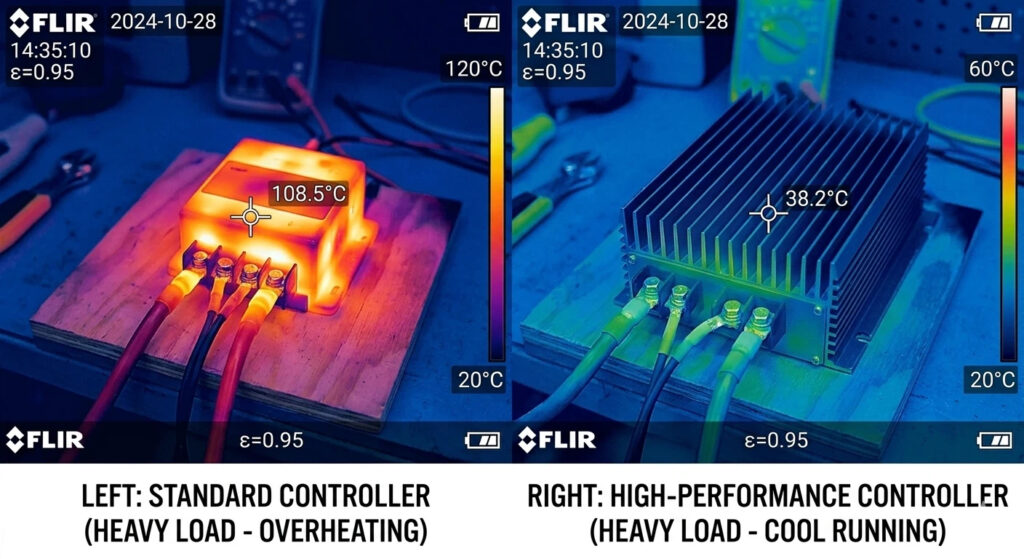
As noted in the IEEE’s Electrical Engineering Portal, managing high current requires robust thermal management to prevent the “thermal cutback” often seen in cheaper units. You can read more about Thermal Management in Power Electronics via IEEE.
Synergy: Pairing the Controller with a High-Speed Motor Upgrade
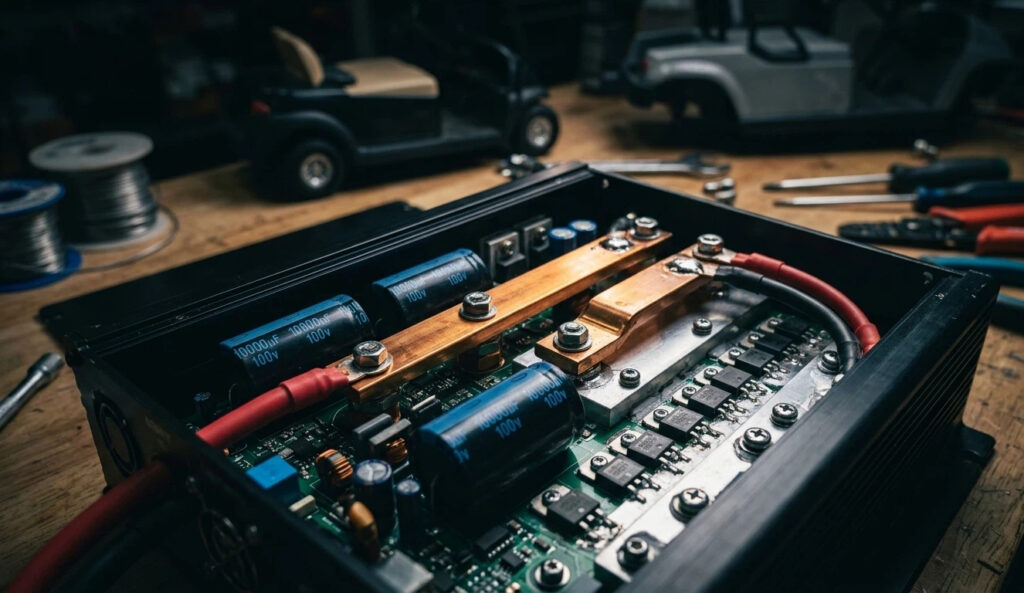
If your goal isn’t just climbing hills but also increasing your top-end velocity, you are likely looking at a high-speed motor upgrade. However, installing a high-speed motor without upgrading your golf cart speed controller is a recipe for disappointment.
A high-speed motor is wound differently to achieve higher RPMs, but these windings often require a higher “turn-on” current to reach their peak efficiency. If you stay with a stock golf cart speed controller, you might actually find that you lose low-end torque in exchange for a few extra MPH on flat pavement.
When you combine a high-speed motor upgrade with a programmable controller, you gain the ability to feed that hungry motor exactly what it needs at every point of the RPM range. This synergy ensures that you don’t just go fast—you get to that top speed quickly.
How to Program Golf Cart Controller for More Torque
This is where the DIY magic happens. Most modern aftermarket units from brands like Alltrax or Navitas offer Bluetooth or USB interfaces. If you want to know how to program golf cart controller for more torque, you need to focus on three specific parameters:
1.Peak Current Limit: Increase this to the maximum safe rating of your motor (often 400A-500A for short bursts). This provides the “snap” when you hit the pedal.
2.Throttle Up-Rate: This determines how quickly the controller ramps up the power. Set it too high, and you’ll pop a wheelie or snap an axle; set it just right, and you get instant response.
3.Current Boost: Some controllers allow for a “Boost” mode that provides extra amperage specifically at low RPMs (0-500 RPM), which is exactly what you need for hill starts.
Navigating the Legal Redline on Public Roads
Before you dial in your golf cart speed controller to hit 30 MPH, you must understand the legal landscape. In many jurisdictions, the moment a golf cart exceeds 20 MPH, it ceases to be a “golf cart” in the eyes of the law and becomes a Low-Speed Vehicle (LSV).
Upgrading your golf cart speed controller gives you the power to break these limits easily. However, operating a modified cart on public streets requires specific safety equipment like turn signals, mirrors, and often a VIN. For a deep dive into the regulations of driving a golf cart on public roads, including the distinction between standard carts and LSVs, check out this comprehensive guide on legal requirements for golf carts.
Smart builders often program their “Street Mode” to a hard cap of 19.9 MPH to stay within the legal “Golf Cart” definition while saving the “Off-Road Mode” for private property where they can utilize the full potential of their high-speed motor upgrade.
The Impact of High-Performance Controllers on Motor Longevity
There is no free lunch in physics. When you use a golf cart speed controller to push more current through a motor, you generate heat. This is known as $I^2R$ loss (current squared times resistance).
If you frequently utilize the “extreme” settings of your how to program golf cart controller for more torque session, you are subjecting the motor’s internal windings to higher temperatures. Over time, excessive heat breaks down the varnish insulation on the copper wires, leading to a short circuit and motor failure.
To protect your investment:
- Install a Temperature Sensor: High-end controllers can throttle back power if the motor gets too hot.
- Upgrade Your Cables: A 500A golf cart speed controller is useless if it’s choked by tiny 6-gauge factory wires. Upgrade to 2-gauge or 4-gauge welding cables.
- Ventilation: Ensure the controller’s heat sink has access to airflow.
Hardware Recommendations: Alltrax vs. Navitas vs. Curtis
Selecting the right golf cart speed controller depends on your technical comfort level.
- Alltrax (The Expert’s Choice): Known for incredibly deep PC-based programming. If you want to obsess over every milliamp and throttle curve, this is the gold standard.
- Navitas (The User-Friendly King): Offers an “On-The-Fly” (OTF) programmer—a physical knob you can dash-mount to adjust speed, torque, and regen braking in real-time.
- Curtis (The OEM Standard): Reliable and rugged, but often requires specialized (and expensive) handheld programmers to unlock performance modes.
The Bottom Line
Upgrading your golf cart speed controller is the single most effective way to improve your vehicle’s drivability. By understanding how to program golf cart controller for more torque, you can tailor the machine to your specific environment—whether that’s a hilly golf course or a gated community.
Just remember: with great power comes the need for better cooling and a clear understanding of the law. Keep your heat in check, stay under the 20 MPH limit on public asphalt, and your upgraded cart will provide years of high-performance service.
Perguntas frequentes
Will a 500A controller make my cart go faster?
Not necessarily on flat ground. It provides more torque for hills and acceleration. Top speed is governed more by voltage and motor RPM limits.
Can I use my stock motor with a high-amp golf cart speed controller?
Yes, but you must be careful. Pushing 500A into a stock motor designed for 250A for long periods will eventually burn it out. Use the controller’s programming to set a safe “Max Current” limit.
Does increasing torque reduce my battery range?
Yes. Torque requires amperage, and amperage comes from your battery capacity. If you drive aggressively using your new high-speed motor upgrade, expect a 10-20% drop in range.
Is it hard to install an aftermarket golf cart speed controller?
Most modern kits are “plug and play” with specific wiring harnesses for Club Car, EZGO, and Yamaha. However, you should always disconnect your batteries and set the Tow/Run switch to “Tow” before starting.